Morning Lock
Skip it, and the morning waits.
Didn’t brush? Your apps stay locked past wake-up until you do. The first thing you do tomorrow is the thing you skipped tonight.
7:00 amStill locked. Brush to unlock your morning.
Bedtime app lock for iPhone
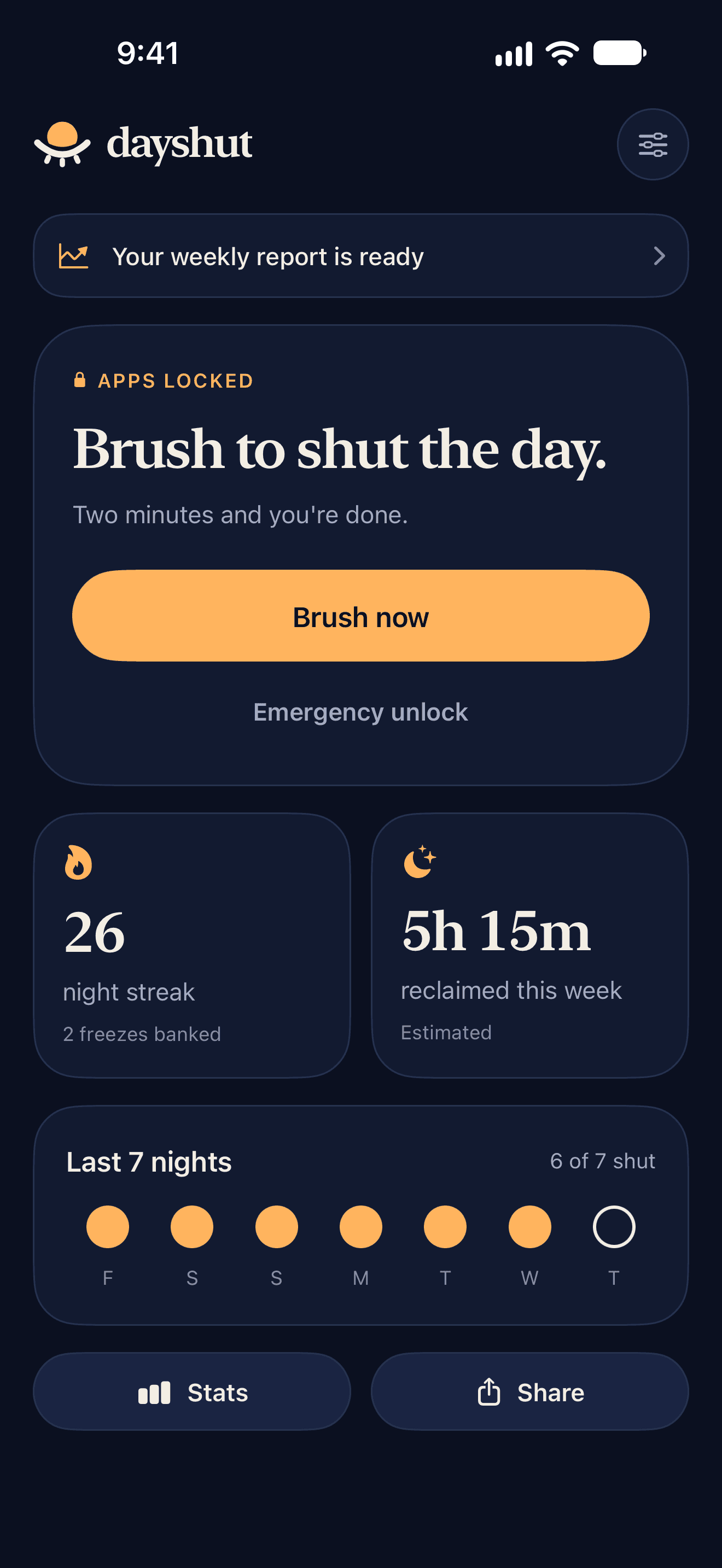
At a bedtime you choose, the apps that keep you up lock. Two minutes of camera-checked brushing is the only way to shut the day. Skip it, and they stay locked till morning.
How it works
No willpower required. Dayshut turns bedtime into a door that only opens one way: through the bathroom.
11:00 pm
Pick the apps that keep you up. At bedtime, Screen Time locks them, even with Dayshut closed. Calls, messages, maps and alarms never lock.
11:04 pm
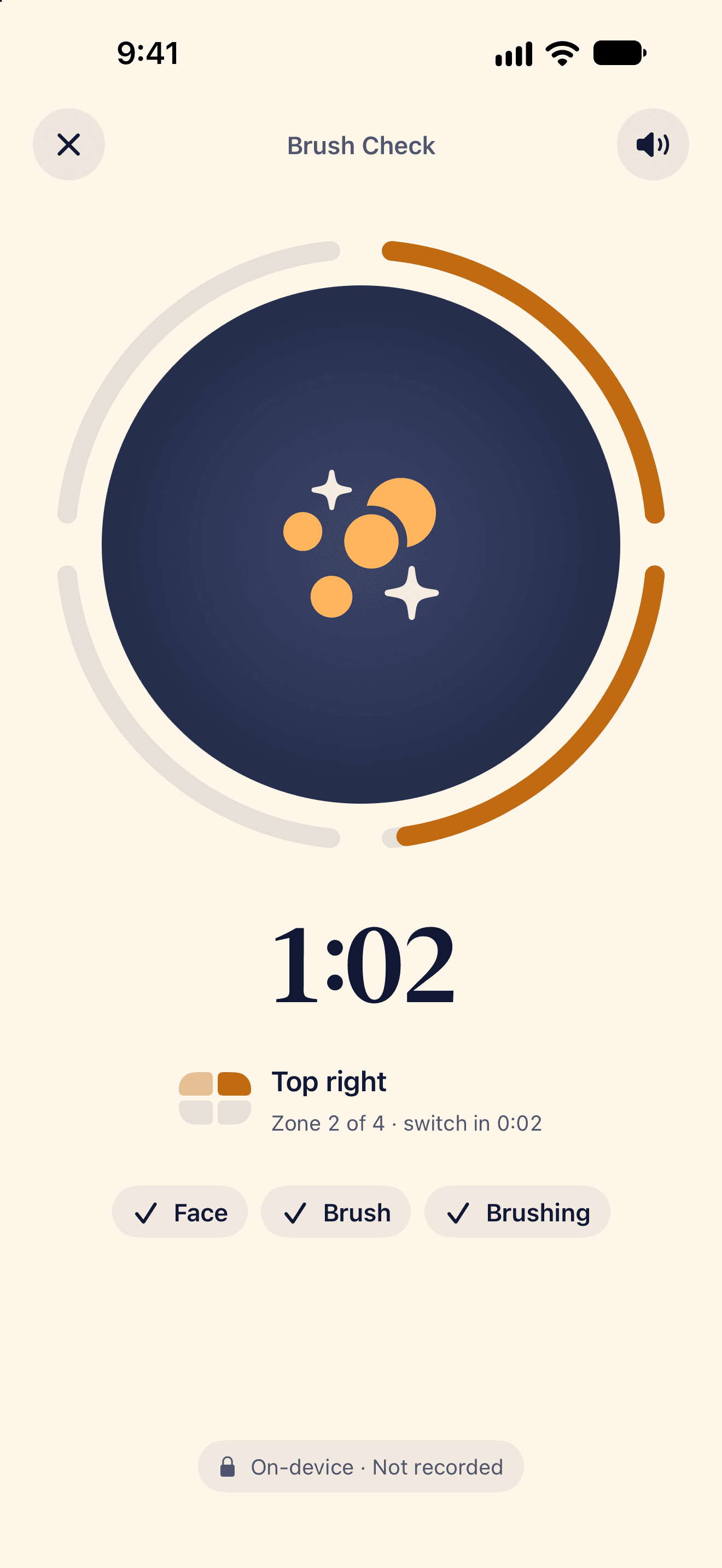
Prop your phone by the mirror. The screen turns into a soft light, and the front camera checks you're really brushing, zone by zone.
11:06 pm
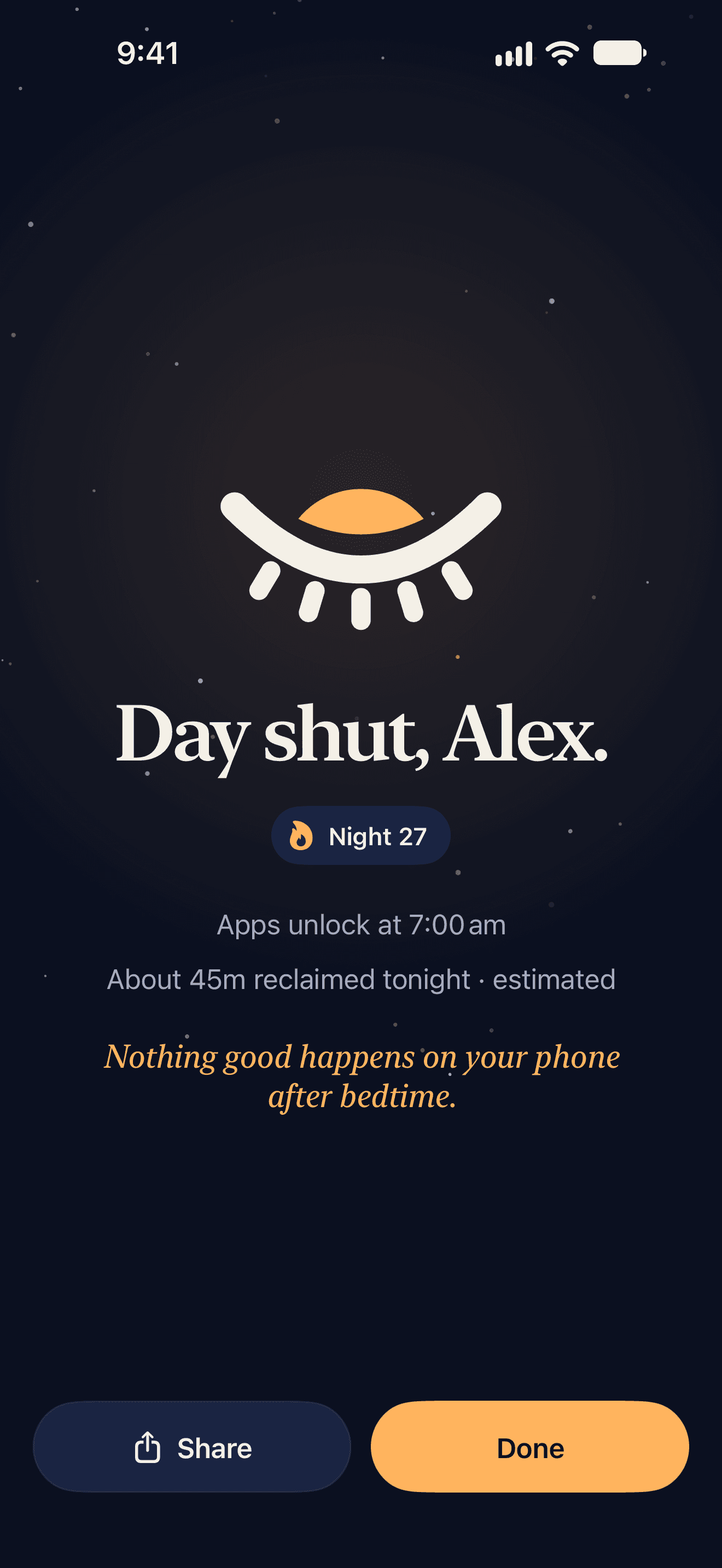
Brush, and the day is shut. Your streak grows, your apps stay quiet, and the screen dims so you put it down.
Brush Check
The screen turns into a soft mirror light and guides you around your mouth, thirty seconds a zone. Vision checks your face, the brush and the brushing, frame by frame, and forgets each one straight away.
Morning Lock
Didn’t brush? Your apps stay locked past wake-up until you do. The first thing you do tomorrow is the thing you skipped tonight.
Streaks & stats
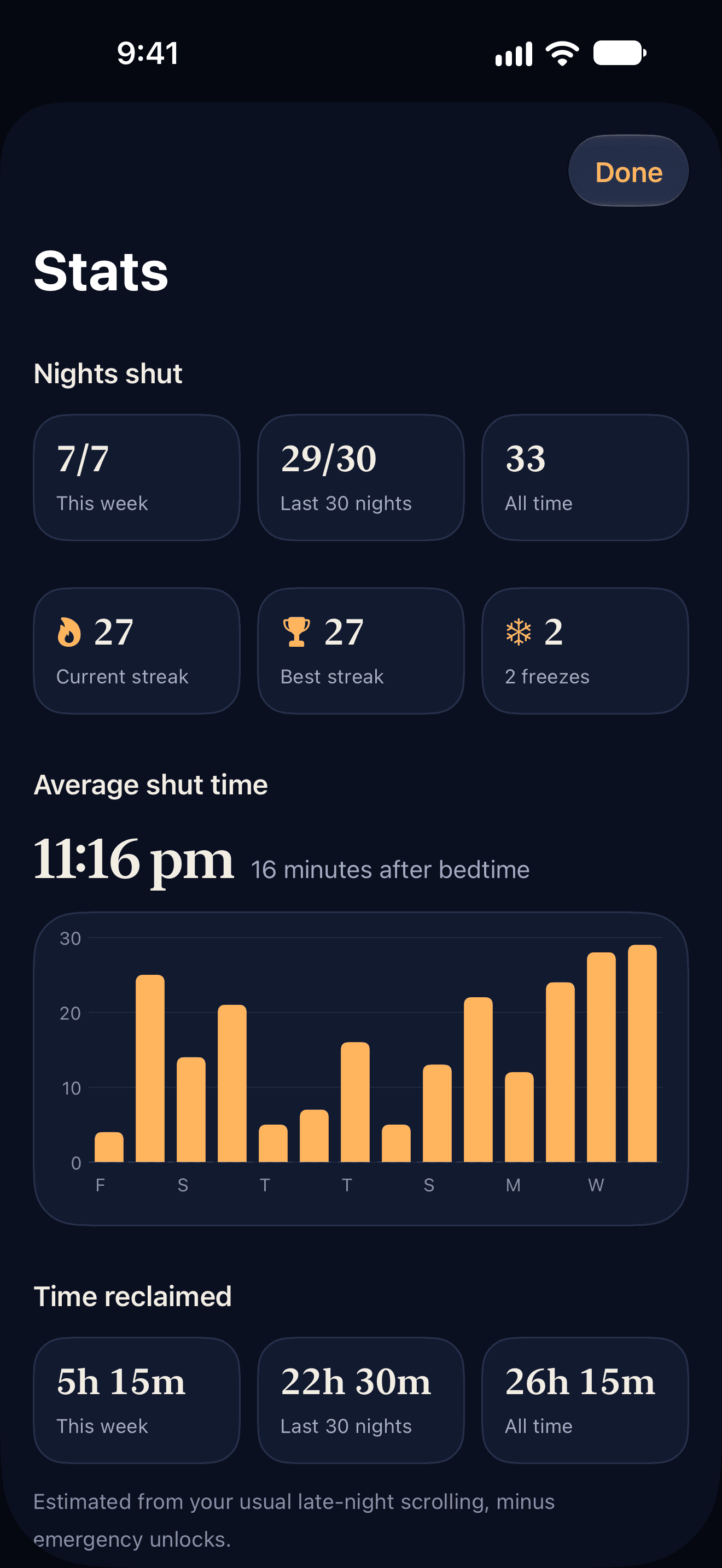
Every shut night grows your streak. Earn a freeze every seven nights, see your average shut time, and get a weekly report on the time you took back.
Built for real life
Brush up to two hours before bedtime and lock the night in early.
Different bedtimes on different days, with a wind-down warning first.
A few minutes of access when life happens. Twice a week, on purpose.
Pause for up to 14 nights. Time zones are handled for you.
Earn one every seven nights. A freeze saves your streak on a missed night.
Tonight's countdown and your streak on your Home and Lock Screens. Start Brush Check from Control Center.
Works with manual and electric toothbrushes alike.
Phone, Messages, Maps, Clock and emergency calls are never locked.
Private by design
A bedtime app sees you at your most private, so it was built to know as little as possible.
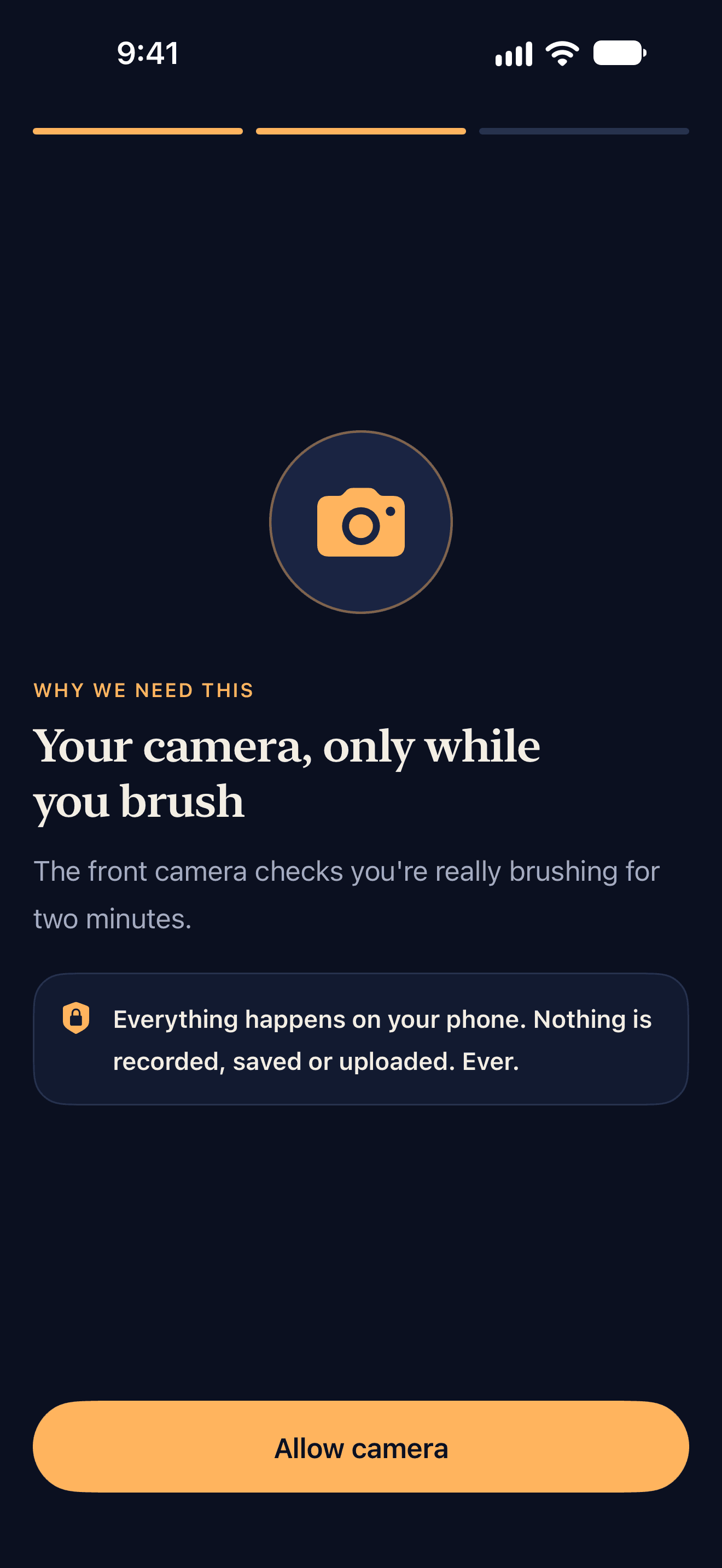
Brush Check reads each frame on your phone as it arrives and throws it away. Nothing is recorded, saved or uploaded.
Screen Time gives Dayshut private tokens, not app names. We can't see what you do in any app.
Your nights stay on your phone. Sign in only if you want a backup you can restore.
We don't sell data, show ads or follow you across apps and websites.
Pricing
Everything is included. Try it free for 3 days.
$4.99 / month
$59.99 billed yearly, after a 3-day free trial
$6.99 / month
Billed monthly. Cancel any time.
Prices in US dollars; your local App Store price may differ. Payment is charged to your Apple Account. Subscriptions renew automatically unless cancelled at least 24 hours before the end of the current period. Manage or cancel in your Apple Account settings.
Only the apps, categories and websites you choose. Phone, Messages, Maps, Clock and emergency calls always work.
No. Brush Check analyzes frames on your phone as they arrive and throws them away. Nothing is recorded, saved or uploaded, and only the result (how long you brushed) is kept.
Yes, within your early-shut window (2 hours before bedtime by default). Your apps lock as soon as you finish.
Your apps stay locked past wake time until you brush in the morning. Your streak resets, unless you have a streak freeze banked.
You earn one for every 7 nights in a row, up to 2. A freeze saves your streak on a missed night. It doesn't cover emergency unlocks.
Use an emergency unlock: a few minutes of access, twice a week by default. After bedtime it ends your streak. When they're used up, you can still break the glass after a 60-second wait.
Dayshut follows your phone's local time. If you change time zone mid-night, tonight finishes on its original schedule and the new time zone applies from tomorrow. You can also pause for up to 14 nights.
Yes. Choose Electric in Brush Check settings and Dayshut looks for the brush at your mouth rather than big brushing strokes.
Turn on Honor Mode in settings for a guided two-minute timer without verification.
In Settings > your name > Subscriptions, or from Manage subscription in Dayshut. When it ends, all locks are removed.
Tonight, the phone goes down when you do. Brush, sleep, and wake up to a day that started well.